Bring your clients over from a spreadsheet in a minute
Starting with new software shouldn't mean typing in all your clients again. With Hairgest you import them in one go.
Start without losing your clients
- Your clients are in a spreadsheet, another program or your phone.
- Copying them by hand is impossible.
- Phone numbers come in every format: +34, spaces, dashes…
Import your client list from Excel
- Excel (.xlsx), .csv or copy and paste the columns.
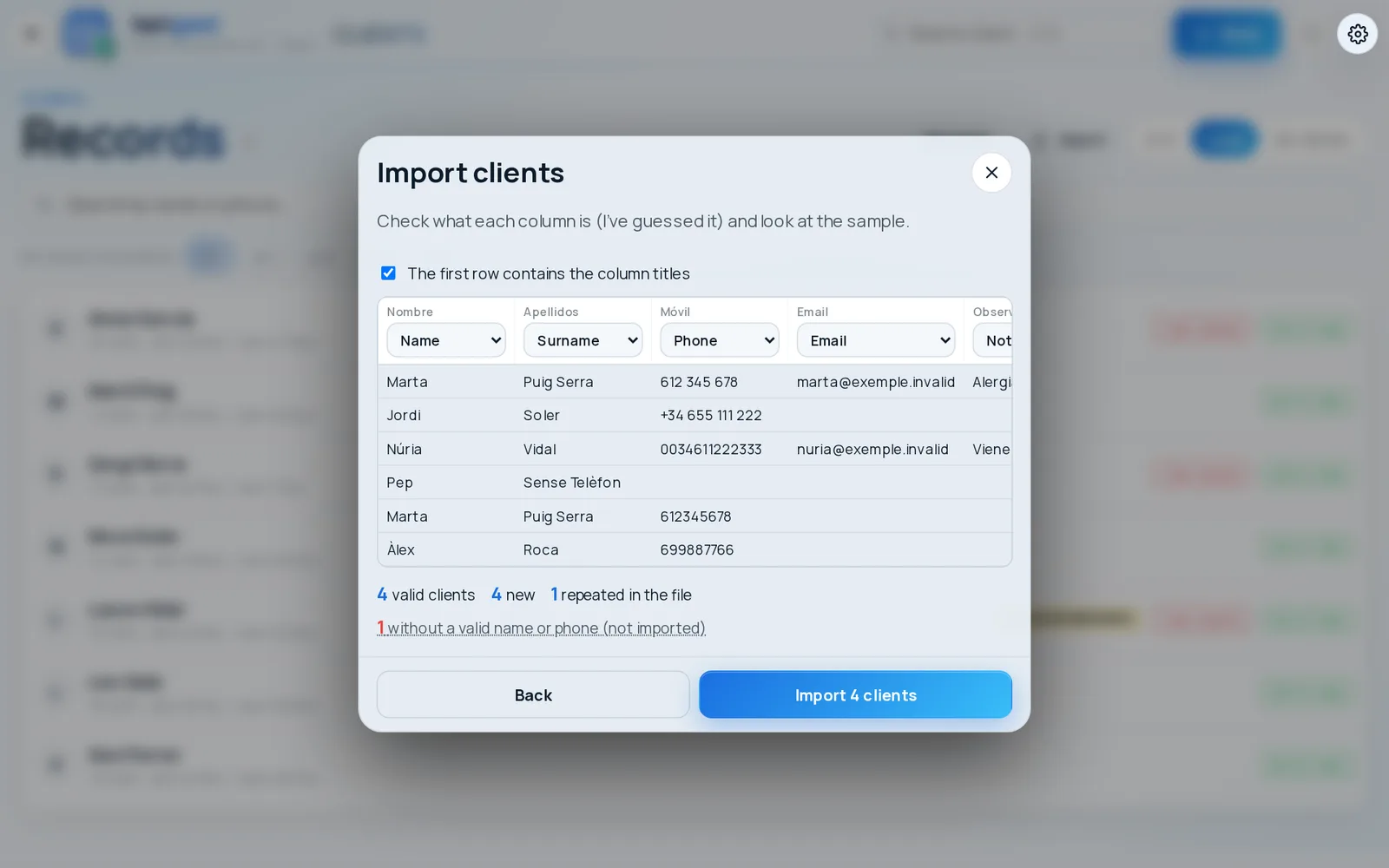
- It detects name, surname, phone, email and notes automatically.
- It cleans phone numbers and skips duplicates and clients you already have.
- Before importing you see what will happen: new, repeated and without phone.
- If you prefer, we do it for you when you sign up.
Questions about importing clients
Which columns are needed?
At least each client's name and phone number.
What if I'm coming from another program?
Almost all of them let you export clients to Excel or CSV; then you import them here.
Will my existing clients be duplicated?
No: they're matched by phone and the ones already there are left as they are.
You may also like
How to switch booking software without losing clientsA practical guide to changing booking apps: exporting clients, telling your clients, cancelling and what to check on price.Keep your regulars coming back: client files, loyalty and packsClient files with visits and spend, regulars who haven't been for weeks, a digital stamp card and session packs.A website for your salon, with your name and no commissionA website with your name, services, prices, team, hours and a book button. Included in Hairgest, no commission per client.
Want to try it?
No sign-up. The demo is yours and deletes itself after 24 hours. Or leave us your number and we'll show you.